Tetris su Android con OpenGL ES in Java
Un progetto di tetris android java con OpenGL ES è un ottimo approccio didattico per capire come funzionano grafica 2D accelerata, game loop e input touch su dispositivi mobile. In questo articolo vediamo come strutturare un piccolo motore di gioco in Java usando GLSurfaceView, come rappresentare i tetromini, come gestire la griglia e il punteggio, e come aggiungere controlli touch e suoni.
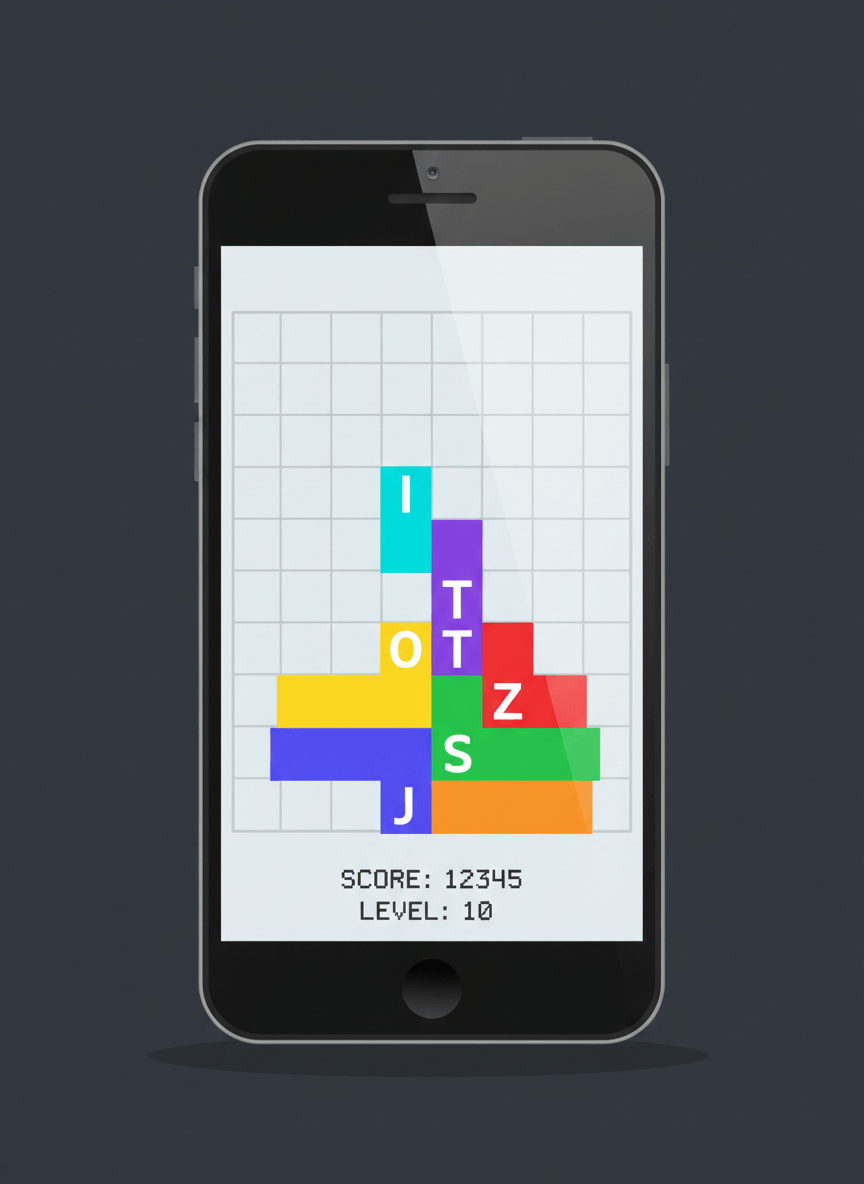
L obiettivo è costruire un Tetris completamente giocabile: un classico Tetris Android in Java in cui i pezzi cadono lungo una griglia 10 per 20, il giocatore può spostarli e ruotarli con gesture touch, le linee complete vengono eliminate, il punteggio aumenta e la velocità cresce con il passare dei livelli. Tutto il rendering avviene tramite OpenGL ES 2.0, usando uno shader minimale per disegnare rettangoli colorati.
Struttura del progetto e classi principali
Il progetto è organizzato in alcune classi centrali. La classe MainActivity è il punto di ingresso dell app Android e crea l istanza di TetrisView, che è una sottoclasse di GLSurfaceView. La classe TetrisView configura il contesto OpenGL ES 2.0, collega il renderer e intercetta i tocchi dell utente per trasformarli in comandi di gioco come spostamento e rotazione dei pezzi.
GameRenderer implementa l interfaccia GLSurfaceView.Renderer e contiene la logica principale del gioco. In GameRenderer vivono il game loop, la gestione del pezzo corrente, il calcolo del punteggio e dei livelli, e il codice di disegno della griglia e dei tetromini tramite OpenGL ES. Qui vengono compilati gli shader e configurati i buffer dei vertici per disegnare singoli blocchi.
Tetromino rappresenta uno dei sette pezzi classici di Tetris. Ogni istanza contiene il tipo del pezzo, una matrice quadrata che descrive la forma, il colore e la posizione sulla griglia. Tetromino espone metodi per creare un pezzo casuale e per ruotare la forma in senso orario.
La classe Board rappresenta la griglia di gioco, tipicamente larga dieci celle e alta venti celle. Board memorizza quali celle sono vuote e quali sono occupate, controlla se un tetromino può essere inserito in una certa posizione, blocca i pezzi quando raggiungono il fondo e cancella le linee complete aggiornando il punteggio e lo stato della partita.
La classe Tetromino: pezzi e rotazione
I sette tetromini classici sono di tipo I, O, T, S, Z, L e J. Nella classe Tetromino ogni pezzo viene modellato con una matrice di interi, per esempio quattro per quattro. Il valore uno indica una cella piena del pezzo, mentre il valore zero indica una cella vuota. In questo modo è semplice iterare sulle celle della matrice e verificare quali blocchi occupano realmente spazio sulla board.
Nel costruttore di Tetromino si sceglie la forma corretta in base al tipo, si assegna un colore e si imposta una posizione di partenza. Un metodo statico come randomTetromino permette di estrarre casualmente uno dei sette tipi, utile per generare il prossimo pezzo da far cadere.
public class Tetromino {
    public enum Type { I, O, T, S, Z, L, J }

    public Type type;
    public int[][] shape;
    public float r, g, b, a;
    public int x;
    public int y;

    private static final Random random = new Random();

    public Tetromino(Type type) {
        this.type = type;
        this.shape = createShape(type);
        setColor(type);
        this.x = 3;
        this.y = 0;
    }

    public static Tetromino randomTetromino() {
        Type[] values = Type.values();
        return new Tetromino(values[random.nextInt(values.length)]);
    }

    private int[][] createShape(Type type) {
        switch (type) {
            case I:
                return new int[][]{
                        {0, 0, 0, 0},
                        {1, 1, 1, 1},
                        {0, 0, 0, 0},
                        {0, 0, 0, 0}
                };
            case O:
                return new int[][]{
                        {0, 1, 1, 0},
                        {0, 1, 1, 0},
                        {0, 0, 0, 0},
                        {0, 0, 0, 0}
                };
            case T:
                return new int[][]{
                        {0, 1, 0, 0},
                        {1, 1, 1, 0},
                        {0, 0, 0, 0},
                        {0, 0, 0, 0}
                };
            case S:
                return new int[][]{
                        {0, 1, 1, 0},
                        {1, 1, 0, 0},
                        {0, 0, 0, 0},
                        {0, 0, 0, 0}
                };
            case Z:
                return new int[][]{
                        {1, 1, 0, 0},
                        {0, 1, 1, 0},
                        {0, 0, 0, 0},
                        {0, 0, 0, 0}
                };
            case L:
                return new int[][]{
                        {0, 0, 1, 0},
                        {1, 1, 1, 0},
                        {0, 0, 0, 0},
                        {0, 0, 0, 0}
                };
            case J:
            default:
                return new int[][]{
                        {1, 0, 0, 0},
                        {1, 1, 1, 0},
                        {0, 0, 0, 0},
                        {0, 0, 0, 0}
                };
        }
    }

    private void setColor(Type type) {
        a = 1.0f;
        switch (type) {
            case I: r = 0.0f; g = 1.0f; b = 1.0f; break;
            case O: r = 1.0f; g = 1.0f; b = 0.0f; break;
            case T: r = 0.5f; g = 0.0f; b = 0.5f; break;
            case S: r = 0.0f; g = 1.0f; b = 0.0f; break;
            case Z: r = 1.0f; g = 0.0f; b = 0.0f; break;
            case L: r = 1.0f; g = 0.5f; b = 0.0f; break;
            case J: r = 0.0f; g = 0.0f; b = 1.0f; break;
        }
    }

    public void rotateClockwise() {
        int n = shape.length;
        int[][] result = new int[n][n];
        for (int i = 0; i < n; i++) {
            for (int j = 0; j < n; j++) {
                result[j][n - 1 - i] = shape[i][j];
            }
        }
        shape = result;
    }
}
La classe Board e il metodo clearCompletedLines
La classe Board rappresenta il campo di gioco. Una implementazione semplice usa una matrice di interi in cui il valore meno uno indica una cella vuota, mentre un valore non negativo indica una cella piena associata a un certo colore. Board espone metodi per verificare se una posizione è all interno dei limiti, se una cella è libera e se un tetromino può essere posizionato in una certa coordinata senza collisioni.
Quando un pezzo non può scendere oltre, viene bloccato sulla board e si cerca di eliminare le linee complete. Il metodo clearCompletedLines scansiona ogni riga, controlla se tutte le celle sono piene e in caso positivo sposta le righe superiori verso il basso. L esempio seguente mostra una possibile implementazione senza usare y più più nel ciclo for principale, come richiesto.
public class Board {
    public static final int WIDTH = 10;
    public static final int HEIGHT = 20;

    private final int[][] cells = new int[HEIGHT][WIDTH];

    public Board() {
        clear();
    }

    public void clear() {
        for (int y = 0; y < HEIGHT; y++) {
            for (int x = 0; x < WIDTH; x++) {
                cells[y][x] = -1;
            }
        }
    }

    public boolean isInside(int x, int y) {
        return x >= 0 && x < WIDTH && y >= 0 && y < HEIGHT;
    }

    public boolean canPlace(Tetromino t, int newX, int newY) {
        for (int i = 0; i < 4; i++) {
            for (int j = 0; j < 4; j++) {
                if (t.shape[i][j] == 0) {
                    continue;
                }
                int bx = newX + j;
                int by = newY + i;
                if (!isInside(bx, by) || cells[by][bx] != -1) {
                    return false;
                }
            }
        }
        return true;
    }

    public void lockTetromino(Tetromino t, int colorIndex) {
        for (int i = 0; i < 4; i++) {
            for (int j = 0; j < 4; j++) {
                if (t.shape[i][j] == 0) {
                    continue;
                }
                int bx = t.x + j;
                int by = t.y + i;
                if (isInside(bx, by)) {
                    cells[by][bx] = colorIndex;
                }
            }
        }
    }

    public int clearCompletedLines() {
        int linesCleared = 0;
        int row = HEIGHT - 1;
        while (row >= 0) {
            boolean full = true;
            int x = 0;
            while (x < WIDTH && full) {
                if (cells[row][x] == -1) {
                    full = false;
                }
                x++;
            }
            if (full) {
                linesCleared++;
                int copyRow = row;
                while (copyRow > 0) {
                    System.arraycopy(cells[copyRow - 1], 0, cells[copyRow], 0, WIDTH);
                    copyRow--;
                }
                for (int col = 0; col < WIDTH; col++) {
                    cells[0][col] = -1;
                }
            } else {
                row--;
            }
        }
        return linesCleared;
    }

    public int[][] getCells() {
        return cells;
    }
}
Game loop con GLSurfaceView e Renderer
Su Android il modo più semplice per usare documentazione ufficiale OpenGL ES in un gioco 2D come Tetris è combinare GLSurfaceView con un oggetto che implementa GLSurfaceView.Renderer. La vista gestisce il contesto grafico e chiama ciclicamente i metodi del renderer. Possiamo usare un Handler per pianificare gli aggiornamenti della logica di gioco a intervalli regolari, mentre il metodo onDrawFrame si occupa del disegno.
public class TetrisView extends GLSurfaceView {

    private final GameRenderer renderer;

    public TetrisView(Context context) {
        super(context);
        setEGLContextClientVersion(2);
        renderer = new GameRenderer(context);
        setRenderer(renderer);
        setRenderMode(GLSurfaceView.RENDERMODE_CONTINUOUSLY);
    }
}

public class GameRenderer implements GLSurfaceView.Renderer {

    private final Board board = new Board();
    private Tetromino current;
    private final Handler handler = new Handler();
    private long dropInterval = 500L;
    private boolean gameOver = false;

    private final Runnable gameLoop = new Runnable() {
        @Override
        public void run() {
            if (!gameOver) {
                updateGame();
                handler.postDelayed(this, dropInterval);
            }
        }
    };

    public GameRenderer(Context context) {
        current = Tetromino.randomTetromino();
    }

    @Override
    public void onSurfaceCreated(GL10 gl, EGLConfig config) {
        GLES20.glClearColor(0f, 0f, 0f, 1f);
        initShadersAndBuffers();
        handler.postDelayed(gameLoop, dropInterval);
    }

    @Override
    public void onSurfaceChanged(GL10 gl, int width, int height) {
        GLES20.glViewport(0, 0, width, height);
    }

    @Override
    public void onDrawFrame(GL10 gl) {
        GLES20.glClear(GLES20.GL_COLOR_BUFFER_BIT);
        drawBoard();
        drawCurrentTetromino();
    }

    private void updateGame() {
        if (board.canPlace(current, current.x, current.y + 1)) {
            current.y++;
        } else {
            int colorIndex = current.type.ordinal();
            board.lockTetromino(current, colorIndex);
            int lines = board.clearCompletedLines();
            handleLinesCleared(lines);
            current = Tetromino.randomTetromino();
            current.x = 3;
            current.y = 0;
            if (!board.canPlace(current, current.x, current.y)) {
                gameOver = true;
            }
        }
    }

    private void initShadersAndBuffers() {
        // inizializzazione shader OpenGL ES e buffer dei vertici
    }

    private void drawBoard() {
        // disegno delle celle occupate sulla griglia
    }

    private void drawCurrentTetromino() {
        // disegno del tetromino corrente
    }

    private void handleLinesCleared(int lines) {
        // aggiornamento punteggio e livelli, definito nella sezione dedicata
    }
}
Controlli touch per Tetris Android Java
Per un Tetris giocato su schermo touch una soluzione semplice è usare il gesto di swipe verso sinistra e verso destra per spostare il pezzo, lo swipe verso il basso per una discesa veloce e un tap per ruotare il tetromino. Queste interazioni possono essere intercettate nella classe TetrisView sovrascrivendo il metodo onTouchEvent.
public class TetrisView extends GLSurfaceView {

    private final GameRenderer renderer;
    private float startX;
    private float startY;
    private static final int SWIPE_THRESHOLD = 50;

    public TetrisView(Context context) {
        super(context);
        setEGLContextClientVersion(2);
        renderer = new GameRenderer(context);
        setRenderer(renderer);
        setRenderMode(GLSurfaceView.RENDERMODE_CONTINUOUSLY);
    }

    @Override
    public boolean onTouchEvent(MotionEvent event) {
        switch (event.getAction()) {
            case MotionEvent.ACTION_DOWN:
                startX = event.getX();
                startY = event.getY();
                return true;
            case MotionEvent.ACTION_UP:
                float dx = event.getX() - startX;
                float dy = event.getY() - startY;

                if (Math.abs(dx) < SWIPE_THRESHOLD && Math.abs(dy) < SWIPE_THRESHOLD) {
                    renderer.rotateCurrent();
                } else if (Math.abs(dx) > Math.abs(dy)) {
                    if (dx > 0) {
                        renderer.moveRight();
                    } else {
                        renderer.moveLeft();
                    }
                } else {
                    if (dy > 0) {
                        renderer.softDrop();
                    }
                }
                return true;
        }
        return super.onTouchEvent(event);
    }
}
Punteggio e livelli in Tetris Android Java
Il sistema di punteggio in Tetris premia le combo di linee eliminate in un unico colpo, e in un progetto di Tetris in Java per Android possiamo usare una variabile score per i punti, una variabile level per il livello corrente e una variabile totalLines per il numero totale di linee cancellate. A ogni pezzo bloccato la board restituisce il numero di linee completate e GameRenderer aggiorna score e level di conseguenza, riducendo gradualmente l intervallo di discesa per aumentare la difficoltà.
public class GameRenderer implements GLSurfaceView.Renderer {

    private int score = 0;
    private int level = 1;
    private int totalLines = 0;
    private long dropInterval = 500L;

    private void handleLinesCleared(int lines) {
        if (lines <= 0) {
            return;
        }
        switch (lines) {
            case 1:
                score += 100;
                break;
            case 2:
                score += 300;
                break;
            case 3:
                score += 500;
                break;
            case 4:
                score += 800;
                break;
            default:
                score += lines * 200;
                break;
        }
        totalLines += lines;
        int newLevel = totalLines / 10 + 1;
        if (newLevel > level) {
            level = newLevel;
            long newInterval = dropInterval - 50L;
            if (newInterval < 100L) {
                newInterval = 100L;
            }
            dropInterval = newInterval;
        }
    }

    public int getScore() {
        return score;
    }

    public int getLevel() {
        return level;
    }
}
Anteprima del prossimo tetromino
Un elemento tipico di Tetris è l anteprima del prossimo pezzo. Per gestirla basta mantenere una variabile che contiene il tetromino successivo. Quando il pezzo corrente viene bloccato sulla board, il gioco promuove il pezzo in anteprima a nuovo pezzo corrente e genera un nuovo tetromino casuale per l anteprima. Nel metodo di disegno è sufficiente renderizzare il tetromino di anteprima in una piccola area separata.
public class GameRenderer implements GLSurfaceView.Renderer {

    private Tetromino current;
    private Tetromino next;

    public GameRenderer(Context context) {
        current = Tetromino.randomTetromino();
        next = Tetromino.randomTetromino();
    }

    private void updateGame() {
        if (board.canPlace(current, current.x, current.y + 1)) {
            current.y++;
            return;
        }
        int colorIndex = current.type.ordinal();
        board.lockTetromino(current, colorIndex);
        int lines = board.clearCompletedLines();
        handleLinesCleared(lines);
        current = next;
        current.x = 3;
        current.y = 0;
        next = Tetromino.randomTetromino();
        if (!board.canPlace(current, current.x, current.y)) {
            gameOver = true;
        }
    }

    private void drawNextTetromino() {
        if (next == null) {
            return;
        }
        float offsetX = 0.6f;
        float offsetY = 0.6f;
        float scale = 0.05f;
        float[] color = {next.r, next.g, next.b, next.a};
        GLES20.glUniform4fv(uColorLocation, 1, color, 0);
        for (int i = 0; i < next.shape.length; i++) {
            for (int j = 0; j < next.shape[i].length; j++) {
                if (next.shape[i][j] == 0) {
                    continue;
                }
                float cx = offsetX + j * scale;
                float cy = offsetY - i * scale;
                drawCellAt(cx, cy, scale);
            }
        }
    }

    private void drawCellAt(float centerX, float centerY, float size) {
        // disegna un quadrato centrato in centerX, centerY con lato size
    }
}
Effetti sonori con SoundPool
Per aggiungere effetti sonori leggeri come la rotazione dei pezzi, il blocco sul fondo e la cancellazione delle linee, SoundPool Android è più adatto di MediaPlayer. Possiamo creare un piccolo gestore dei suoni che carica le clip audio dalla cartella raw e poi le riproduce quando la logica di gioco lo richiede.
public class SoundManager {

    private final SoundPool soundPool;
    private final SparseIntArray sounds = new SparseIntArray();

    public SoundManager(Context context) {
        AudioAttributes attrs = new AudioAttributes.Builder()
                .setUsage(AudioAttributes.USAGE_GAME)
                .setContentType(AudioAttributes.CONTENT_TYPE_SONIFICATION)
                .build();
        soundPool = new SoundPool.Builder()
                .setAudioAttributes(attrs)
                .setMaxStreams(4)
                .build();
        sounds.put(0, soundPool.load(context, R.raw.rotate, 1));
        sounds.put(1, soundPool.load(context, R.raw.lock, 1));
        sounds.put(2, soundPool.load(context, R.raw.line_clear, 1));
    }

    public void playRotate() {
        play(0);
    }

    public void playLock() {
        play(1);
    }

    public void playLineClear() {
        play(2);
    }

    private void play(int id) {
        int soundId = sounds.get(id, -1);
        if (soundId != -1) {
            soundPool.play(soundId, 1f, 1f, 1, 0, 1f);
        }
    }

    public void release() {
        soundPool.release();
    }
}
Domande frequenti su Tetris OpenGL ES in Java
Domanda uno. Posso usare questo progetto di Tetris come base per altri giochi 2D. Risposta. Sì, la combinazione di MainActivity, TetrisView e GameRenderer con una board e un game loop basato su Handler è un ottimo punto di partenza per giochi come Pong, Arkanoid o Pac Man, basta cambiare la logica di gioco e il modo in cui disegni gli oggetti.
Domanda due. È possibile usare Kotlin invece di Java. Risposta. Tutto il codice mostrato può essere tradotto in Kotlin senza cambiare l architettura generale. GLSurfaceView, Renderer, Board e Tetromino funzionano allo stesso modo anche se scritti in Kotlin, quindi puoi modernizzare il progetto mantenendo i concetti identici.
Domanda tre. Come gestisco la pausa del gioco quando l app va in background. Risposta. È consigliabile fermare il game loop nel metodo onPause di MainActivity o di TetrisView, per esempio rimuovendo le chiamate pendenti dell Handler, e riprenderlo in onResume. In questo modo il gioco non continua a far cadere i pezzi quando il giocatore lascia l applicazione.
Domanda quattro. Come posso salvare il punteggio massimo. Risposta. Puoi usare SharedPreferences per memorizzare il valore più alto raggiunto. Al termine di ogni partita confronti il punteggio corrente con l high score salvato e lo aggiorni se necessario. All avvio del gioco leggi il valore e lo mostri nell interfaccia utente insieme al punteggio corrente.
Domanda cinque. È possibile utilizzare una fisica più avanzata o animazioni complesse. Risposta. Sì, ma per un Tetris classico non è indispensabile. Puoi comunque aggiungere piccole animazioni di ingresso e uscita per i tetromini, effetti di dissolvenza per le linee cancellate o un leggero zoom durante il game over, mantenendo invariata la struttura con GLSurfaceView e Renderer.
Conclusione e guide correlate
Abbiamo visto come costruire un Tetris su Android con OpenGL ES in Java partendo dalla struttura del progetto, passando per Tetromino e Board, fino al game loop, ai controlli touch, al sistema di punteggio, all anteprima del prossimo pezzo e agli effetti sonori. Con queste basi puoi aggiungere menù, schermate di pausa, salvataggi, interfacce grafiche più ricche e transizioni tra scene.
Se vuoi approfondire altri progetti simili puoi cercare guide su giochi come Arkanoid su Android con OpenGL ES in Java, gioco Pong su Android con OpenGL ES in Java, Pac-Man su Android con OpenGL ES in Java e guide generali su OpenGL ES su Android disponibili in molti siti di sviluppo mobile. Puoi anche consultare guide su Come Creare un Gioco Android in Java e Canvas Android per approfondire ulteriormente.